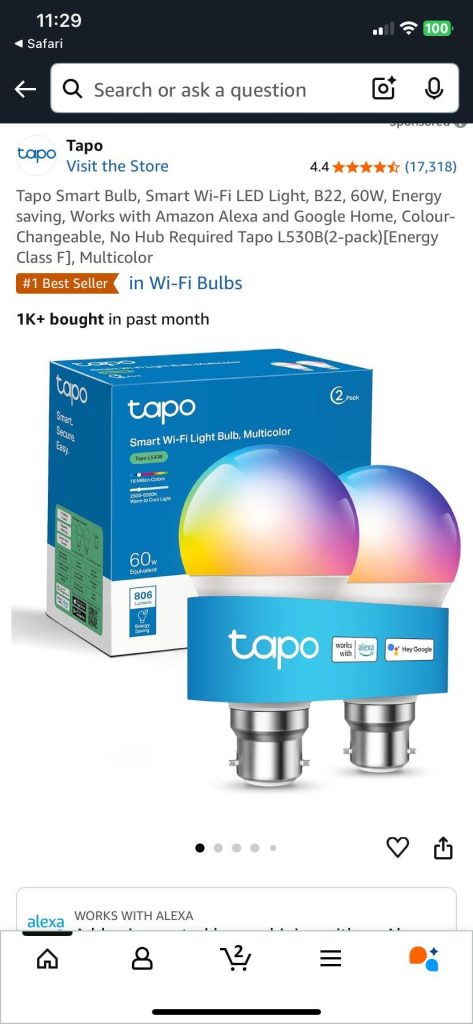
Are you wondering if smart bulbs work with Google Home? Imagine controlling your lights with just your voice—turning them on, dimming them, or changing colors without lifting a finger.
But does Google Home really make this possible? If you’ve been curious about how well these devices connect and what you can actually do, you’re in the right place. Keep reading to discover how smart bulbs and Google Home team up to make your home smarter and your life easier.
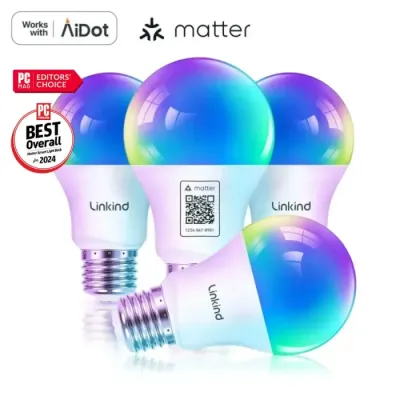
Credit: www.aidot.com
Smart Bulbs Basics
Smart bulbs are light bulbs you can control using apps or voice commands. They connect to your home Wi-Fi or smart hubs.
These bulbs let you change brightness and colors without touching a switch. They work with devices like Google Home for easier control.
What Are Smart Bulbs?
Smart bulbs are LED lights with built-in wireless technology. You can turn them on or off using your phone or voice.
Many smart bulbs let you adjust brightness and colors. Some also have timers and scheduling features.
Benefits Of Smart Bulbs
Smart bulbs save energy by using LED technology. They also help you control lights remotely, which is very convenient.
- Easy to control with apps or voice
- Adjust brightness and colors
- Set schedules and timers
- Save energy with LED bulbs
- Improve home security with remote control

Credit: www.amazon.com
Google Home Essentials
Smart bulbs can work with Google Home to make your home lighting easy. You can control lights with voice commands.
Google Home helps you connect many smart devices, including smart bulbs. It makes your home more comfortable.
Features Of Google Home
Google Home listens to your voice and answers questions. It can play music, set timers, and control smart devices.
It works with many apps and services. You can ask it to turn on lights or adjust brightness in your room.
- Voice control for smart devices
- Works with Google Assistant
- Plays music and news
- Sets reminders and timers
- Answers questions
Google Home Compatible Devices
Google Home works with many smart bulbs and devices from popular brands. It helps control lights, cameras, and more.
Smart bulbs that support Google Assistant connect easily. You can switch them on or off using your voice.
- Philips Hue smart bulbs
- LIFX Wi-Fi bulbs
- TP-Link Kasa smart bulbs
- Yeelight smart bulbs
- Google Nest smart devices
Compatibility Factors
Smart bulbs can connect with Google Home to give you control by voice. Not all smart bulbs work the same way. Compatibility depends on different factors.
Understanding these factors helps you choose bulbs that fit your setup and needs.
Wi-fi And Connectivity
Most smart bulbs use Wi-Fi to connect to Google Home. Your home Wi-Fi network must be stable and 2.4 GHz or 5 GHz compatible. Some bulbs use other connections like Zigbee or Bluetooth.
Google Home usually supports Wi-Fi bulbs and Zigbee bulbs through a hub. Bluetooth bulbs may have limited control or need extra steps to link.
- Wi-Fi bulbs connect directly to your router
- Zigbee bulbs need a compatible hub
- Bluetooth bulbs pair with your phone or Google Home
- Network strength affects response time
Voice Command Features
Smart bulbs that work with Google Home respond to voice commands for turning on, off, and dimming. Some bulbs offer color changes and preset modes by voice.
Voice support depends on the bulb’s software and Google Home’s integration. Not all bulbs support every voice feature.
- Basic control: on/off and brightness
- Advanced control: color and scenes
- Check if the bulb supports Google Assistant commands
- Some bulbs need apps for full voice features
Popular Smart Bulb Brands
Smart bulbs let you control lights with your voice or phone. Many brands work with Google Home for easy control.
Here are some popular smart bulb brands that work well with Google Home.
Philips Hue
Philips Hue is one of the most popular smart bulb brands. It offers many light colors and brightness options.
These bulbs connect through a bridge and work smoothly with Google Home. You can ask Google to change colors or turn lights on and off.
- Wide color range
- Works with a hub called Hue Bridge
- Good Google Home compatibility
- Supports schedules and routines
Lifx
LIFX smart bulbs do not need a hub. They connect directly to Wi-Fi, making setup simple.
You can control LIFX bulbs with Google Home to change brightness and colors. They offer bright and vibrant lights.
- No hub needed, connects via Wi-Fi
- Bright and colorful lights
- Works well with Google Assistant
- Supports voice commands and routines
Tp-link
TP-Link smart bulbs are affordable and easy to use. They connect over Wi-Fi and work with Google Home.
You can use Google Assistant to turn TP-Link bulbs on or off and adjust brightness. They are good for simple smart lighting.
- Affordable smart bulbs
- Connect via Wi-Fi without a hub
- Compatible with Google Home
- Simple voice controls
Setting Up Smart Bulbs
Smart bulbs bring convenience and control to your lighting. You can change colors and brightness with your voice or phone. Setting them up is simple and quick.
Many smart bulbs work well with Google Home. This lets you use voice commands to control your lights easily.
Connecting To Google Home
First, install your smart bulb and switch it on. Make sure your phone connects to the same Wi-Fi as your Google Home device.
- Open the Google Home app on your phone.
- Tap the plus (+) icon to add a new device.
- Select “Set up device” and then “Works with Google.”
- Find your smart bulb’s brand and sign in to link accounts.
- Follow the on-screen instructions to finish setup.
Troubleshooting Common Issues
Sometimes smart bulbs do not connect or respond as expected. Check common problems below to fix them fast.
| Issue | Possible Cause | Fix |
|---|---|---|
| Bulb not found by Google Home | Wi-Fi not connected or wrong network | Confirm bulb and phone use same Wi-Fi |
| Voice commands not working | Google Home not linked properly | Re-link accounts in Google Home app |
| Bulb won’t turn on/off | Power supply or bulb issue | Check bulb is screwed in and powered |
Maximizing Smart Bulb Features
Smart bulbs work well with Google Home to make lighting easy. You can control brightness, colors, and schedules with your voice.
Using Google Home lets you get the most out of your smart bulbs. You can automate lighting and create scenes that fit your needs.
Automating Lighting Schedules
Set your smart bulbs to turn on or off at specific times. This helps save energy and keeps your home lit when needed.
You can use Google Home to create daily or weekly lighting schedules. This makes your lights work automatically without manual control.
- Turn lights on at sunset and off at bedtime
- Set different schedules for weekdays and weekends
- Use schedules to simulate presence when away
Creating Voice-activated Scenes
Google Home allows you to set scenes that control multiple bulbs at once. You can activate scenes with simple voice commands.
Scenes adjust brightness and colors to fit activities like reading, relaxing, or party time. This adds convenience and style to your space.
- “Good Morning” scene with bright white light
- “Movie Time” scene with dimmed warm colors
- “Dinner” scene with soft, cozy lighting
Future Of Smart Home Lighting
Smart bulbs that work with Google Home are changing how we light our homes. They offer easy control and energy savings.
The future of smart home lighting looks bright with new features and better technology coming soon.
Trends In Smart Lighting
Smart lighting is moving toward more automation and personalization. Lights can adjust based on time and mood.
Voice control with Google Home and other assistants is becoming standard. This makes it easy to change lights without touching switches.
- Adaptive lighting changes brightness throughout the day
- Energy-efficient bulbs that save power
- Integration with other smart home devices
- Customizable colors for different activities
Innovations On The Horizon
New smart bulbs will have better sensors and smarter software. They will learn your habits and adjust lighting automatically.
We will see bulbs that work with more devices and services. This will make smart homes more connected and easier to use.
- Bulbs with built-in motion and daylight sensors
- Improved color accuracy and brightness control
- Better voice recognition and response
- Longer lifespan and easier installation

Credit: www.amazon.com
Frequently Asked Questions
Do Smart Bulbs Work With Google Home Devices?
Yes, most smart bulbs are compatible with Google Home. They connect via Wi-Fi or Bluetooth for voice control and automation.
How To Connect Smart Bulbs To Google Home?
Open Google Home app, tap “Add,” select “Set up device,” then choose your smart bulb brand. Follow on-screen instructions.
Can Google Home Control Multiple Smart Bulbs Simultaneously?
Yes, Google Home supports group control. You can create rooms or groups to control multiple bulbs with one command.
Are All Smart Bulb Brands Compatible With Google Home?
Not all brands are compatible. Check the product details for Google Home support before buying to ensure seamless integration.
Conclusion
Smart bulbs work well with Google Home for easy control. You can turn lights on or off with simple voice commands. Setting schedules and adjusting brightness feels natural and quick. Many smart bulbs connect smoothly, but check compatibility first. This makes your home more comfortable and convenient.
Using Google Home with smart bulbs adds a helpful touch to daily life. It’s a simple way to make your lighting smarter and more flexible. Try it to see how easy home lighting can be.